Dimensions
Balanced and Smallest redraw each frame on a smaller canvas. Fewer pixels usually mean less data, but fine detail becomes softer.
Local tool · measured output
Ready in your browser
Direct answer: choose a GIF, select a preset, and compare the measured input and output sizes. The file is decoded and rebuilt locally in this browser tab; it is not uploaded to SwapMyGIF.
Balanced and Smallest redraw each frame on a smaller canvas. Fewer pixels usually mean less data, but fine detail becomes softer.
Every output frame is mapped to a limited indexed palette. Fewer colors can reduce detail and may add banding in gradients.
Smallest keeps alternate frames and adds each skipped frame's delay to the preceding kept frame. Motion may look less smooth.
Choosing between presets? Read GIF compressor settings explained: dimensions, colors, and frames for the exact preset table and timing rules.
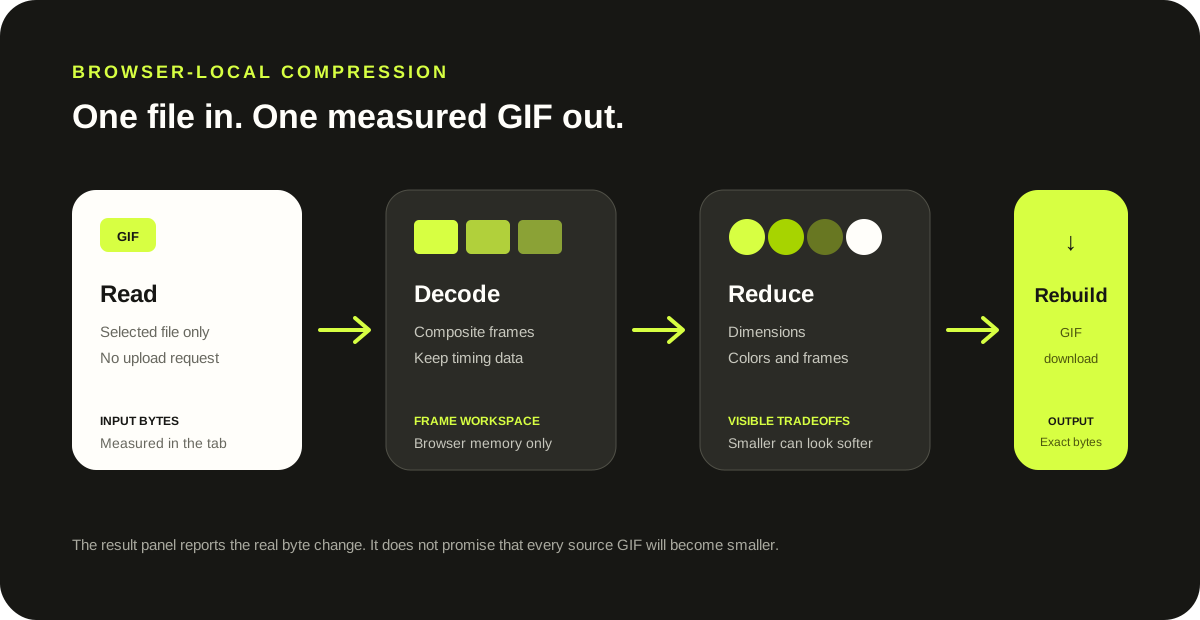
GIF compression is content-dependent. Flat artwork, gradients, transparency, motion, and the source encoder can all change the result. This tool therefore reports both byte counts after every run and warns when a preset does not produce a smaller file.
Implementation evidence: the current page uses the site's bundled GIF decoder and encoder, Canvas scaling, per-frame palette quantization, and no processing API. Format reference: MDN GIF guide.
Choose the GIF, start with Balanced, and run the compressor. Compare the measured result with the original. Use Smallest only when a smaller file matters more than dimensions, color detail, and smooth motion.
No. The selected file is read, decoded, redrawn, and encoded by JavaScript in the current browser tab.
Reducing dimensions removes pixels, reducing the palette removes color choices, and dropping frames removes motion samples. Those are the same controls that can make the file smaller.
No. The source encoder and image content matter. The result panel shows exact byte counts and warns when the new file is not smaller. See the first-party larger-output diagnosis for a 34-byte source that rebuilt to 64 bytes.
The compressor can write binary transparent pixels when the rebuilt palette contains transparency, but it does not preserve source palettes or disposal metadata. Review the controlled transparency and disposal audit, then replay your complete result before downloading.
Yes. This compressor normalizes very short or missing decoded delays, and Smallest combines skipped-frame time into retained frames. See the five-frame timing audit for decoded before-and-after values from every preset.
No. The current encoder writes an endless-loop value into each rebuilt GIF. See the controlled loop metadata audit before compressing an animation that must stop after a set number of repeats.
Compressed file bytes do not equal decoded pixel bytes. A 10,905-byte controlled source produced 12 MiB of RGBA frame patches before the preset was applied. Read the decoded-size audit for the exact method and limits.
Every retained frame is mapped to a newly selected limited palette, even under Light. The controlled color audit isolates that palette step with a 256-color fixture.