Exact dimensions
Set a width and height in pixels. The result panel reads the rebuilt GIF itself, so you can verify the output dimensions before downloading.
Exact pixels · local processing
Ready in your browser
Direct answer: choose a GIF, enter the exact output width or height, keep the aspect ratio locked unless you intentionally want stretching, then rebuild and download the animation. The file stays in this browser tab.
Set a width and height in pixels. The result panel reads the rebuilt GIF itself, so you can verify the output dimensions before downloading.
Keep the lock on to preserve the source proportions. Turn it off only when a deliberately wider or taller result matters more than avoiding distortion.
The resizer composites each source frame, redraws it on the target canvas, then writes the frames back in their original order with their recorded delays.
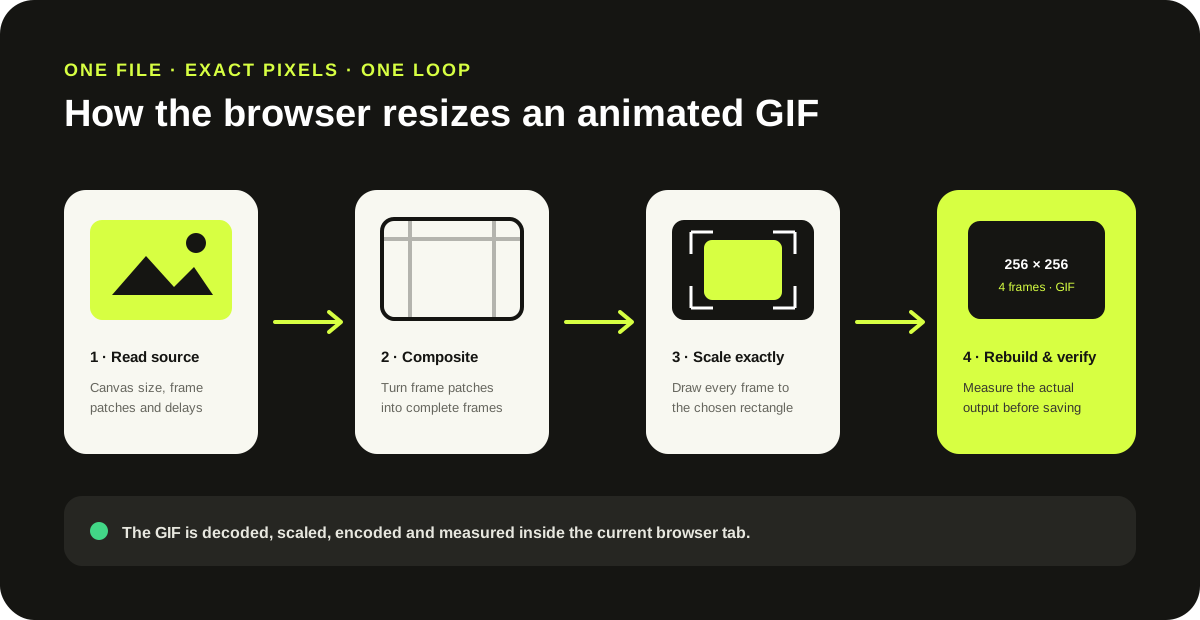
Making a GIF narrower or shorter usually reduces its pixel count, but re-encoding can still produce a larger file. This page targets dimensions, preserves all decoded frames, and reports the measured byte change without promising compression.
Primary browser method: MDN Canvas drawImage() documents drawing a source into a destination rectangle. For color-count and frame-sampling controls instead, use the GIF compressor.
Choose the GIF, leave Lock aspect ratio enabled, and change either width or height. The other dimension is calculated from the source proportions before the animation is rebuilt.
Yes. The tool redraws every decoded frame at the target dimensions and writes the frames back in the same order with their recorded delays.
Not always. Smaller dimensions reduce pixel count, but palette choices and the source encoder also affect bytes. The result panel reports the measured input and output sizes.
Yes. Turn off the aspect-ratio lock to enter both values independently. That can stretch or squash the visible content.
No. The selected file is decoded, scaled and encoded by JavaScript in the current browser tab.